MCNP Cell Lattice Creation
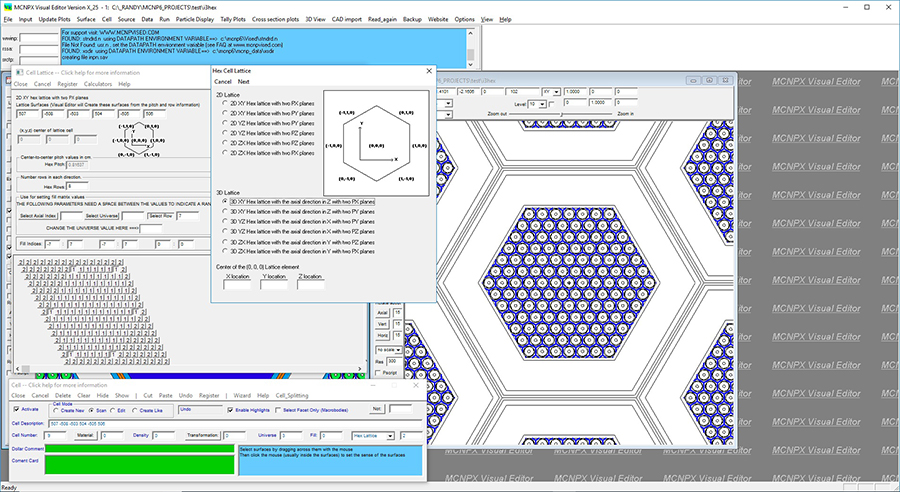
The Visual Editor has a sophisticated lattice
creation capability. It allows the user to create a lattice by
indicating the number of rows, pitch, and number of axial elevations. A
default fill matrix will then be generated, which the user can modify by
selecting the row location and elevations for the universes that make up
the fill matrix. When registered, the Visual Editor will create the
lattice surfaces and the fill matrix. Advanced features exist that allow
the Visual Editor to calculate the pitch from the water to fuel ratio.
This figure shows a lattice in a lattice geometry. The outer lattice is filled with an inner lattice contained in universes 4 and 5. A geometry plot showing the lattice universe numbers is shown in the right hand plot. In the lattice panel, the universe elements are shown. By selecting the proper combination of row index and flat index, it is possible to select a particular lattice element that is symmetrically located along the six lattice surfaces.